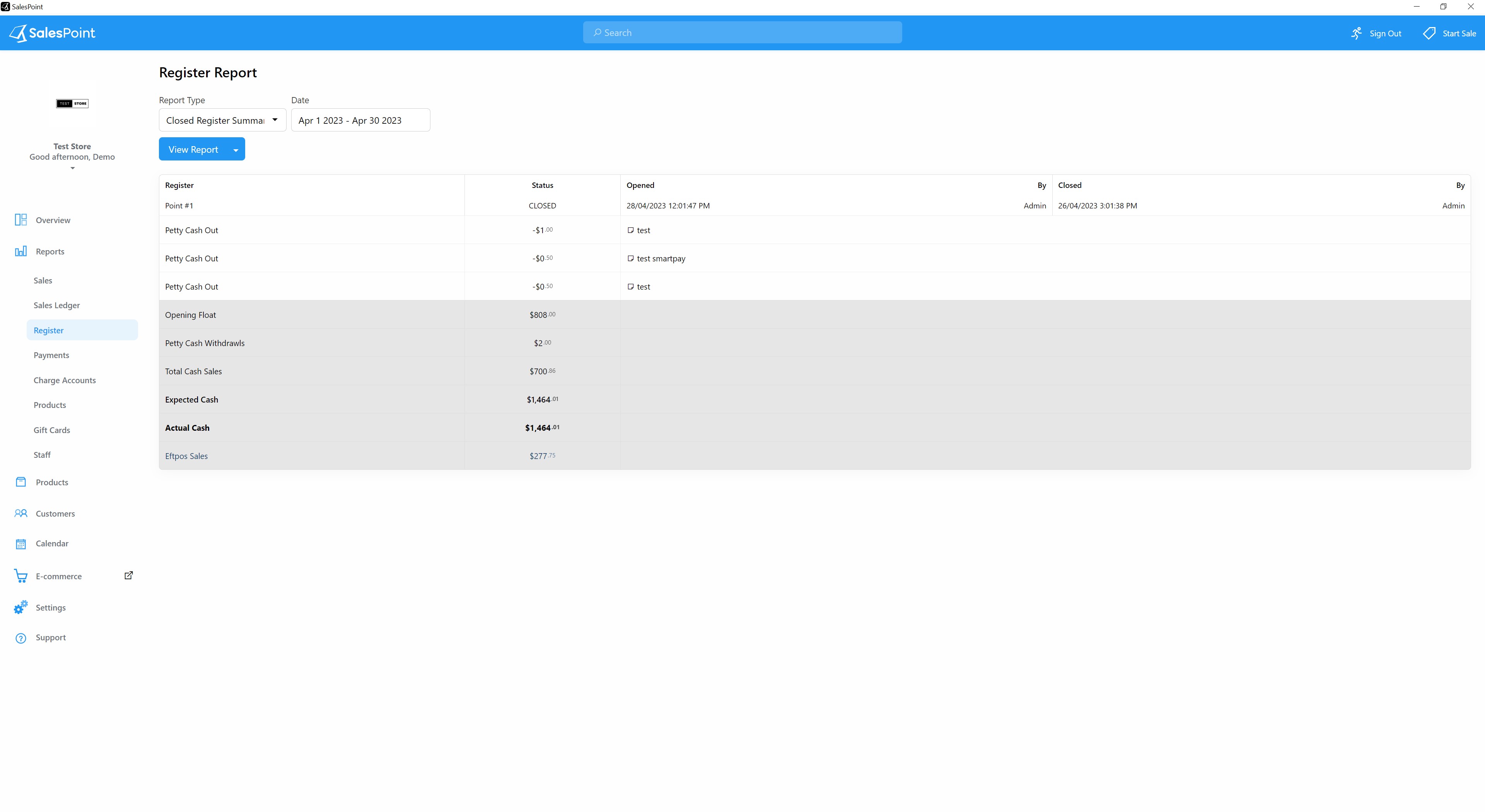
The register report shows the summary for opening and closing the register. This displays the cash in the register and the date the action has been done. There are two types of reports:
1. “List”: Shows the overall view of the register balance.
2. “Closed Register Summary”: Shows the summary of the register when it was closed, including the ending cash and any discrepancies between the expected and actual amounts.
Select the "Closed Register Summary" report type. This report will display the summary of the register, including the opening balance, total cash sales, expected cash sales, and closing balance.
Note: To enable the "Closed Register Summary" report, you need to go to the Administration Screen (Dashboard/Back Office), navigate to the "Settings" tab, and go to the "Features" subcategory tab. Turn on the toggle button to enable the "Register Balancing". Finally, click the "Save" button to apply the modification.